What a VS Code verified publisher badge means, compared with Open VSX
Learn what publisher verification checks on the VS Code Marketplace and Open VSX, how to apply, and what neither registry badge proves.

Builds VSXRank · 5 min read

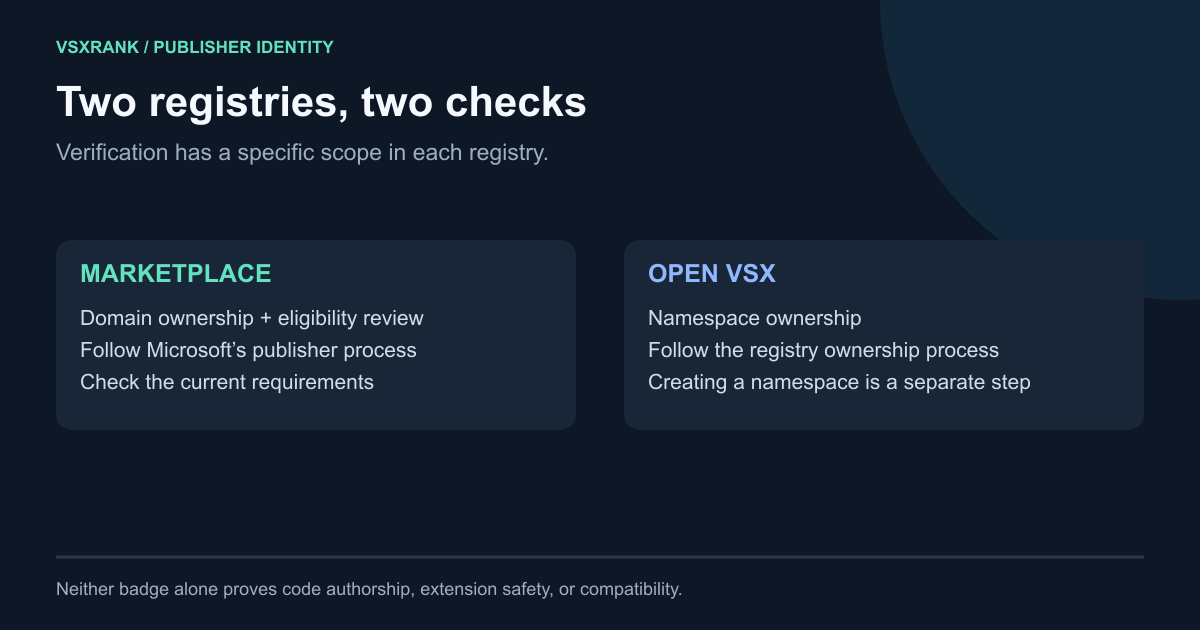
A verified publisher badge is useful only when you know which relationship the registry checked. On the VS Code Marketplace, verification starts with control of an eligible domain and includes a Marketplace eligibility review. On Open VSX, the marker depends on an owned namespace and the account that published the extension version. These processes are independent. Neither badge, by itself, proves who wrote every line, that a package is safe, or that it will work in your editor.
What the VS Code verified publisher badge means#
The two registries use different evidence and grant different control:
| Registry | What is checked | What the status controls or communicates |
|---|---|---|
| VS Code Marketplace | An eligible domain plus publisher, website and extension eligibility | A verified badge beside the Marketplace publisher |
| Open VSX | Ownership of a namespace; each version also records its publishing account | Namespace membership controls who can publish, and the listing shows verified or warning status |
The same publisher.name can appear in both registries, but verification in one does not carry into the other.
VS Code Marketplace: domain control plus eligibility review#
Microsoft’s current extension publishing documentation sets two waiting-period prerequisites:
- The publisher must have had one or more extensions on the Marketplace for at least six months.
- Registration of the domain must be at least six months old.
An eligible domain must let you add a DNS TXT record, must not be a subdomain such as name.github.io, must use HTTPS, and must return HTTP 200 to a HEAD request. This is narrower than simply having a website or an email address on a domain.
Apply for the Marketplace badge#
- Open the Marketplace publisher management page.
- Select the publisher, then open Details.
- Enter the domain under Verified domain, save, and select Verify.
- Add the TXT record shown by the verification dialog, then run the verification again.
- Wait for the Marketplace review. Microsoft says it will report the result within five business days after the TXT record is validated.
The review is broader than DNS. Microsoft says its validation includes the domain, website and extensions, looking at track record, content eligibility, legitimacy, trust and positive reputation. A validated TXT record therefore starts the review; it does not guarantee approval.
Keep the publisher details stable after approval. Microsoft documents that changing the publisher display name revokes the badge, as can later Terms of Use or validation violations.
Open VSX: namespace ownership and publisher membership#
Open VSX does not copy the Marketplace badge or use its domain process. The publisher field in package.json becomes an Open VSX namespace. Creating that namespace makes the creator a contributor, which can publish, but does not make the creator its owner. The namespace starts unverified until ownership is granted, according to the official Open VSX publishing guide.
The marker also has a version-level detail. The namespace access documentation says an extension version is verified when the namespace has an owner and the account that published that version is a namespace member. A verified namespace can still show a warning for a version published by an account that is no longer a member, or for a version published through the privileged open-vsx service account.
Request ownership of an unowned namespace#
Sign in to open-vsx.org first, then use the namespace ownership form in the project’s official issue chooser. The request is a reviewed ownership process, not an automatic action.
The current form asks you to confirm that the namespace has no owner and that the requesting GitHub account has at least 12 months of public history. It then asks for evidence through the route that fits your situation:
- If the namespace is also a Marketplace publisher with a linked repository, show that the requesting GitHub identity owns the repository in the same organization or provide a commit from that identity.
- If it is a Marketplace publisher without a usable repository link, the form offers temporary reader access to the Marketplace publisher account or matching domain/email evidence.
- If it is not a Marketplace publisher, the namespace can match the GitHub identity, or you can use matching domain/email evidence.
- If none fits, explain the circumstances; the form warns that this route takes the longest.
Follow the live form because its evidence options can change. Include every requested URL or domain detail when you open the issue.
If the namespace already has an owner#
Do not use the unowned-namespace route. An existing owner can add another owner or contributor under Open VSX Settings → Namespaces. Owners can manage membership; contributors can publish but cannot view or change members. The official guide recommends contributor access for service accounts and bots.
If you dispute an earlier ownership decision, the namespace documentation directs you to comment on the corresponding public issue so the history and objection remain together.
For the setup that comes before ownership review, including the Eclipse Publisher Agreement, token and first upload, use the Open VSX publishing guide.
What neither badge establishes#
It is not a package safety verdict#
Microsoft describes the Marketplace badge as an extra trust signal and documents malware scanning, dynamic detection in a clean-room VM, unusual-usage monitoring and name-squatting controls as separate protections in its extension runtime security guide. The badge itself is not the result of those package checks.
Open VSX likewise documents secret detection, a known-bad-file blocklist and namespace-similarity checks as configurable publish-time scanners, separate from namespace ownership. Some checks can be monitor-only while others can block publication; see the official extension scanning guide.
It is not proof of source authorship or compatibility#
The Marketplace process checks domain control and publisher eligibility. The Open VSX process checks namespace ownership and publishing membership. Those facts do not establish that the named account personally authored the linked source, that the repository exactly matches the VSIX contents, or that the extension behaves correctly in every compatible editor. Review the repository, permissions, release history and support links as separate evidence.
For a public example, compare the current pages for Red Hat’s Java extension on the Marketplace and the same extension on Open VSX. Each registry presents its own publisher or namespace status on its own listing.
How VSXRank handles verification#
VSXRank displays the verification value reported by each registry. It does not issue a third badge, transfer status between registries, or treat the self-selected Mine watchlist role as proof of ownership. Anyone can track a public listing; watchlist roles only change product defaults.
When reviewing a listing, read the badge as one scoped identity signal, then check the repository, licence, recent releases and requested permissions. Open the live demo to see how Marketplace publisher status and Open VSX namespace status remain attached to their respective registry data.