Why your VS Code extension isn't showing up in search
Why a VS Code extension is not showing in search: check listing status, editor and registry, rank depth and timing, with dated data from both registries.

Builds VSXRank · 8 min read
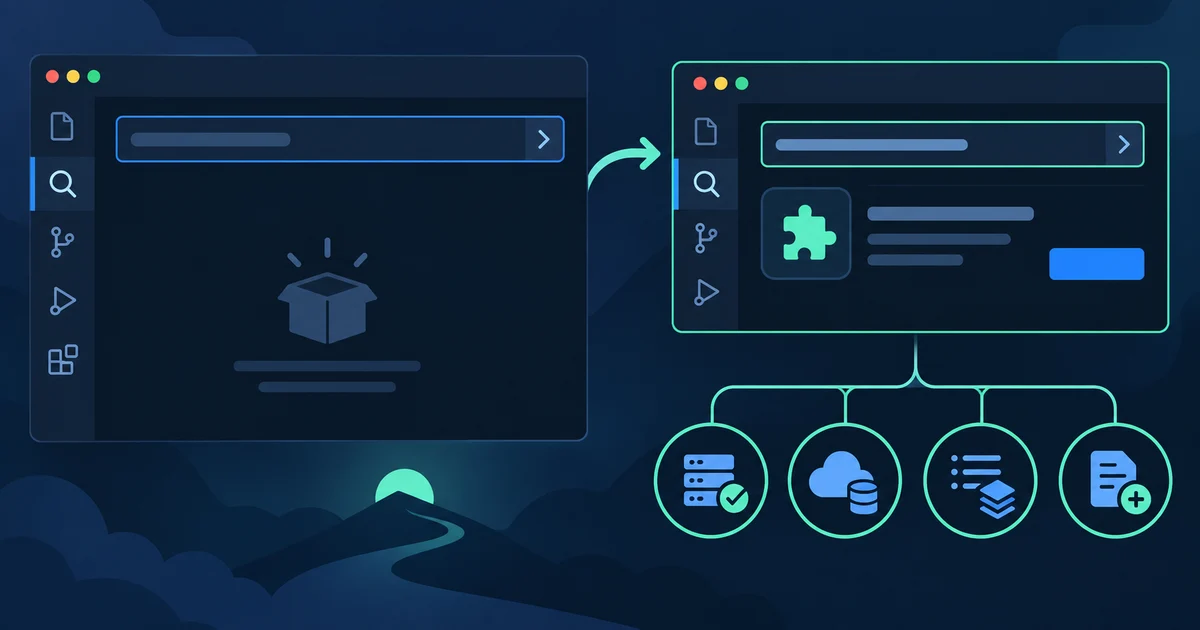
When a VS Code extension doesn't show up in search, there are four separate places to look. The listing may not be live. The editor may be searching a different registry. The extension may be live but ranked below where anyone scrolls. Or the listing may be too new. Each has a different check and a different fix, so work through them in order. Our crawl of both registries, dated 22 September 2026, shows how often each case happens.
Why a VS Code extension is not showing in search#
Start with the cheapest question: can anyone reach the listing by its exact identifier? The identifier is publisher.name from package.json. In VS Code, type @id:publisher.name in the Extensions view. The Extension Marketplace documentation describes this filter, along with @recentlyPublished and @sort. Then open https://marketplace.visualstudio.com/items?itemName=publisher.name in a browser, and https://open-vsx.org/extension/publisher/name for Open VSX.
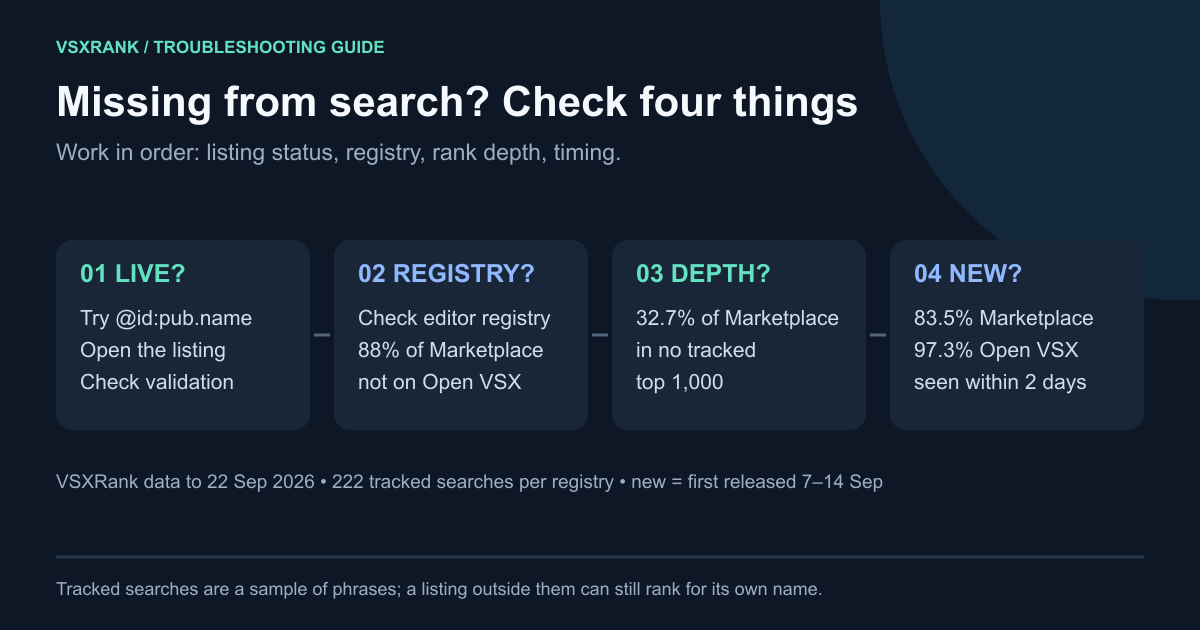
The results point you to a branch:
- Neither the ID nor the page works: first verify the ID and rule out a registry outage; the listing may not be live. Go to the listing-status checks.
- The page works but the editor's search doesn't: check which registry the editor uses, and whether the listing is new.
- Both work but a phrase search doesn't: the listing is reachable. It may rank deep, fail to match that phrase, or be affected by search filters.
Check that the listing is actually live#
Microsoft distinguishes between unpublishing and removing an extension. Unpublishing sets the listing's availability to Unpublished, keeps its statistics, and takes it out of Marketplace search and VS Code. Removing is irreversible and permanently reserves the name. Microsoft's publishing guide documents both. If a teammate unpublished the extension, you can republish it. If it was removed, you need a new name.
Before an extension appears at all, Microsoft scans every uploaded package for malware and blocks packages that fail. It also blocks names that could easily be mistaken for a popular publisher (Microsoft on Marketplace security). If vsce publish succeeded but the listing page isn't reachable yet, give the scan time to finish before you change anything.
A validation flag also matters. VS Code's gallery client adds an "exclude non-validated" flag to every Marketplace query. The source comment reads "Always exclude non validated extensions" (extensionGalleryService.ts). Our catalog shows the effect. On 22 September, 165 listed Marketplace extensions lacked the validated flag. Our rank queries don't send that exclusion, yet 164 of the 165 never appeared in any tracked search's first 1,000 results during 15–21 September. Most of them were years old. Microsoft doesn't document the flag for publishers, so if your listing lacks validated, contact Marketplace support.
Open VSX has its own failure mode. A version can upload successfully and still be inactive. One public report shows the registry answering "is already published, but currently isn't active and therefore not visible" (open-vsx.org issue #2062). Open VSX can also reject a package outright during extension scanning. A rejection returns an error that names the failed check, so read the publish log before you retry.
Listings also leave the catalog. VSXRank marks a listing as delisted after 7 days of absence. Between 13 and 22 September, 160 Marketplace listings and 26 Open VSX listings crossed that line. Of the 160 Marketplace listings, 110 had appeared in tracked search results earlier in the month. A listing that ranked last week can disappear this week, so check the listing page before you assume the ranking changed.
Check which registry the editor is searching#
VS Code searches the Microsoft Marketplace. VSCodium, Cursor and several other forks search Open VSX. VSCodium's documentation calls Open VSX its "pre-set extension gallery" and quotes the Marketplace terms: offerings are "intended for use only with Visual Studio Products and Services" (VSCodium extensions docs). Cursor says it uses Open VSX through its own marketplace proxy, which runs malware and supply-chain analysis before offering an extension (Cursor extensions help).
A Marketplace-only listing is not automatically available through those editors' Open VSX search; manual installation and editor-specific restrictions are separate questions. On 22 September, 103,662 of 117,727 listed Marketplace extensions (88%) had no Open VSX listing with the same publisher.name. If users say "I can't find it in Cursor", the fix is usually to publish the extension to Open VSX, not to change a keyword.
Cursor adds one more layer. Cursor staff have said that Open VSX extensions "don't sync to the Cursor Marketplace right away, even with verified status" and advised waiting a couple of days (Cursor forum, April 2026). A listing that shows up on open-vsx.org but not in Cursor can be waiting on that sync.
Check whether the editor can install it#
Compatibility settings usually show up as an install failure, not a missing search result. When VS Code runs a search, it asks the gallery client for results with compatible: false (same source file as above). The listing still appears, and the engine check runs when someone installs it. An engines.vscode of ^1.110.0 means VS Code 1.110.0 or later (compatibility rules). A fork built on an older VS Code base can list the extension but refuse to install it.
Platform-specific packages work the same way. Since 1.61.0, VS Code looks for the package that matches the current platform. An extension shipped only as win32-x64 and darwin-arm64, with no universal build, gives other platforms nothing to install. On 22 September, 1,231 Marketplace listings and 338 Open VSX listings targeted specific platforms without a universal package.
Pre-release versions don't hide a listing either. The gallery client falls back to the latest version when an extension has no release version, and users opt in through Install Pre-Release Version. Pre-release extensions need engines.vscode of at least 1.63.0 (pre-release guidance). Also check any organisation policy. When extensions.allowed is set, VS Code blocks every extension that isn't on the list.
Check whether it is simply ranked deep#
If the exact-ID lookup works, the listing is reachable. Next check phrase matching, filters, and ranking depth. The Marketplace uses the display name and short description for text search (Extension Manifest), and in our observations the display name dominates. An exact-name search tends to put the listing first. A generic phrase can put it hundreds of positions down.
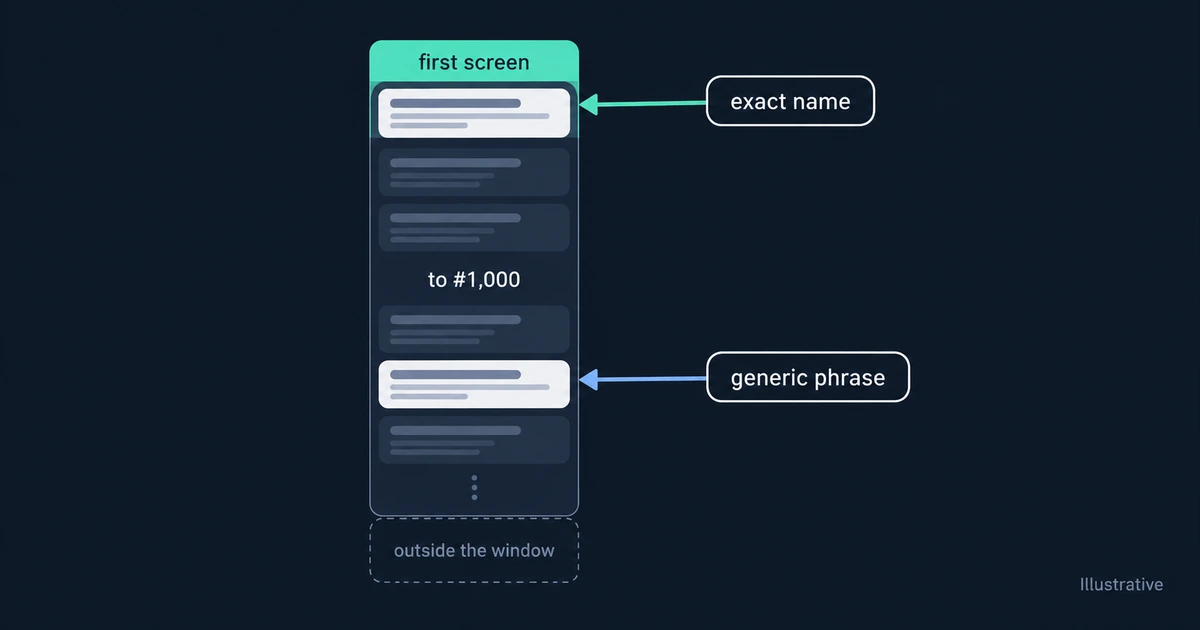
Across our 222 tracked searches per registry, most of them tags mined from the catalog, many live listings never reach the first 1,000 positions:
| Registry | Listed before 15 Sep | In at least one tracked top 1,000, 15–21 Sep | In none |
|---|---|---|---|
| Marketplace | 116,612 | 78,450 | 38,162 (32.7%) |
| Open VSX | 17,771 | 16,750 | 1,021 (5.7%) |
These figures describe our query set, not every possible search. A listing missing from all 222 searches may still rank first for its own name. The Open VSX catalog is roughly a sixth the size of the Marketplace, so a 1,000-row window covers much more of it. What "outside the window" means explains why a listing missing from the first 1,000 isn't the same as a listing that doesn't exist. Remember too that positions shift between identical searches, especially past #300 (rank jitter by position).
Check whether it is just new#
Newly published extensions usually reach search results quickly. We looked at listings first released between 7 and 14 September and still listed on 22 September, then found the first daily reading in which each one appeared in any tracked search:
| Registry | New listings | By next daily reading | Within 2 days | By 21 Sep | Never in tracked results |
|---|---|---|---|---|---|
| Marketplace | 1,043 | 694 (66.5%) | 871 (83.5%) | 887 (85.0%) | 156 |
| Open VSX | 364 | 352 (96.7%) | 354 (97.3%) | 356 (97.8%) | 8 |
One public report doesn't match that pattern. On 19 September 2026, a user reported that WeChat AHP, published within the previous 5 days, didn't appear in VS Code search, although code --install-extension worked (microsoft/vscode #336877). Our catalog recorded formulahendry.wechat-ahp as released at 12:35 UTC on 18 September. From 20 September, the Marketplace returned it at #797 for our tracked query sync. On 22 September, a direct query to the Marketplace API for WeChat AHP, with the same exclusions VS Code applies, returned it at #1 of 81. That timeline fits a short delay after release. It doesn't show where the delay happened.
Use two days as an investigation checkpoint, not a guaranteed indexing deadline. If exact-ID lookup still fails, check publication and validation status and ask the registry or editor operator; timing may still be involved.
Checklist: symptom, check, fix#
| Symptom | Check | Fix |
|---|---|---|
| Not found anywhere, even by ID | Listing page and @id: lookup | Republish if it was unpublished; use a new name if it was removed |
| Publish succeeded, page not reachable yet | Wait for the malware scan to finish | Don't republish in a loop; contact support if it stays unreachable |
Page lives, flags lack validated | Listing flags in the gallery response | Contact Marketplace support |
| Open VSX says published but not visible | Version list on open-vsx.org | Report it to the registry operator |
| Missing in Cursor, VSCodium or another fork | Open VSX page for the same ID | Publish to Open VSX; allow a few days for Cursor's sync |
| Found but install fails | engines.vscode and target platforms | Lower the engine floor if the code allows it, or add a universal build |
| Found by name, not by phrase | Position for the phrase | Put the phrase in the display name or short description, then measure again |
| Released under 2 days ago | @recentlyPublished or @sort:publishedDate | Wait for the next daily reading before changing the listing |
Keep a record while you debug#
A registry mismatch and a deep rank are two useful possibilities to check in a missing-search report. Both are easier to separate with a dated record: whether the listing existed, its flags, and its position for each phrase on each registry. The live demo shows that record for a real extension. It tracks positions on both registries to #1,000, alongside listing changes and missing readings.