How to choose VS Code extension keywords: a worksheet with real rank data
Choose VS Code extension keywords with a five-step worksheet: relevance, how contested a phrase is, near-top-10 positions, competitor overlap and placement.

Builds VSXRank · 7 min read

Choosing VS Code extension keywords is mostly a triage problem. You can list 30 keywords in package.json, but only a few phrases may match the searches most relevant to your extension, and where a phrase sits in the listing matters as much as whether it appears. This worksheet sorts candidate phrases by relevance, how contested each one is, how close you already are to the top 10, and which competitors share it. Then it places each survivor in the display name, the description, or the tags, using rank data we measured on both registries.
What Microsoft documents about VS Code extension keywords#
The extension manifest reference defines the fields a publisher controls:
displayNameis the name shown on the Marketplace, and it must be unique there.descriptionis a short statement of what the extension is and does.keywordsis an array "to make it easier to find the extension". Those values are "included with other extension Tags on the Marketplace", and the list "is currently limited to 30 keywords".categoriesmust come from a fixed list, such as Linters, Formatters, Themes or Visualization.
The same page's Marketplace tips say the display name and description "are also used for text search in VS Code and having relevant keywords will help a lot." Publishing with more than 30 keywords fails with "You exceeded the number of allowed tags of 30" (Publishing Extensions). Users can also filter the Extensions view with tag: and category: (Extension Marketplace), so a tag counts even when nobody reaches it through free-text search.
Microsoft doesn't publish how those fields are weighted. A 2017 note from a Microsoft engineer ranks displayName above keywords above description and mentions a five-tag limit (microsoft/vscode-arduino #225); the documented limit is 30 today, so treat it as history.
Open VSX publishes its search code: its text query weights name and displayName at 5, tags at 3, namespace at 2 and description at 1, and the relevance sort multiplies that score by a precomputed relevance value (ElasticSearchService.java). On the Marketplace, what follows is our observation.
Where ranked listings carry the searched words#
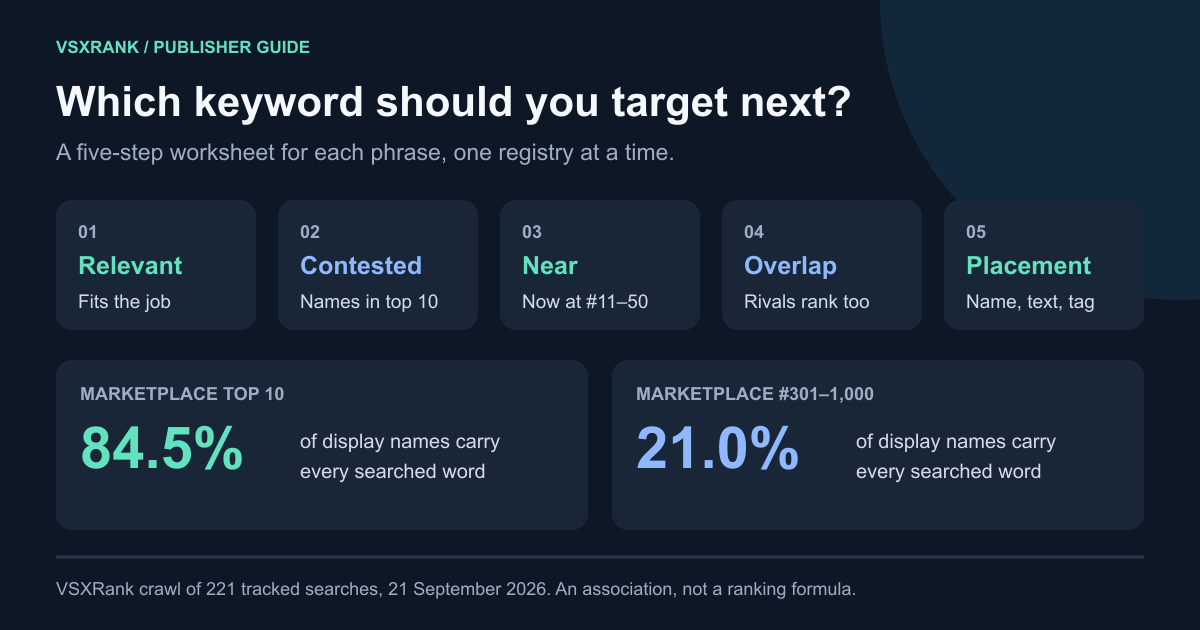
On 21 September 2026 we checked every tracked search on both registries: 221 phrases with positions 1–1,000. For each ranked row we asked whether the listing carried every meaningful word of the search. We checked the display name, the tags and the short description separately. Matching is by word, with plain plurals folded, so "Visualizer" does not match "visualization".
| Position band | Marketplace: display name | Marketplace: tags | Open VSX: display name | Open VSX: tags | Open VSX: description |
|---|---|---|---|---|---|
| 1–10 | 84.5% | 59.3% | 60.5% | 65.4% | 75.7% |
| 11–20 | 81.2% | 55.0% | 45.3% | 61.8% | 71.4% |
| 21–50 | 78.8% | 54.4% | 32.1% | 63.3% | 64.1% |
| 51–100 | 70.5% | 55.5% | 19.8% | 61.1% | 53.1% |
| 101–300 | 45.8% | 59.4% | 11.6% | 50.9% | 41.1% |
| 301–1,000 | 21.0% | 54.6% | 6.0% | 34.2% | 26.9% |
On the Marketplace, the display name separates the bands: 84.5% of top-10 rows against 21.0% past position 300. Tag matches are flat at 54–59% all the way down. Our 13 September study found 88% against 28% (Marketplace ranking and jitter). A week later the gap is the same shape. Open VSX looks different. Every field thins out with depth, and descriptions and tags hold up better than names near the top, although these overlap rates do not establish the contribution of each search weight.
These are associations: a strong extension may have a clear name and a good position for separate reasons.
Step 1: keep only phrases that describe the job#
List ten to twenty phrases a developer would type when they need your extension: the task ("csv viewer"), the technology ("jupyter"), the integration ("copilot") and your product name. Cut any phrase where a searcher who found you would be disappointed.
Step 2: measure how contested each phrase is#
The result count the Marketplace reports isn't a good measure of competition. On 21 September, open source copilot returned 9,797 results. Only 47 live Marketplace listings carried all three words anywhere in their name, tags or description. None carried all three in the display name. The search returns partial matches too.
Two numbers work better. First, count the listings that carry every word in the display name; VSXRank computes this nightly for each tracked phrase. Second, count how many of today's top 10 display names carry it. Across the 208 phrases our crawler seeds for itself on the Marketplace, the two numbers track each other closely:
| Listings with every word in the display name | Phrases | Average top-10 names carrying the phrase | Phrases where all 10 do |
|---|---|---|---|
| 10 or fewer | 21 | 3.2 | 0 |
| 11–100 | 46 | 9.0 | 33 |
| 101–1,000 | 121 | 9.3 | 96 |
| More than 1,000 | 20 | 9.7 | 17 |
Name counts use the catalog of 22 September; positions are from 21 September. On the Marketplace, 146 of those 208 phrases had a top 10 made entirely of named matches. A phrase like that has strong display-name overlap in this sample. It does not exclude listings without those words. When ten or fewer listings have the phrase in the name, more top-10 rows lack a name match; relevant tags and descriptions are worth checking too, without assuming an edit will improve position.
Open VSX is less crowded. The median phrase had 32 named listings there against 209 on the Marketplace, and only 21 of the 208 phrases had an all-named top 10.
Step 3: shortlist positions #11–20, then check the name#
Positions just outside the top 10 are the nearest targets, but few of them moved in within a week. We compared the same extension and phrase, across the 208 self-seeded phrases, on 14 and 21 September:
| Starting position on 14 Sept | Pairs | In the top 10 on 21 Sept | Still at #11–20 |
|---|---|---|---|
| Marketplace #11–20 | 1,952 | 44 (2.3%) | 1,795 (92.0%) |
| Open VSX #11–20 | 1,950 | 38 (1.9%) | 1,733 (88.9%) |
The top 10 held too: 97.2% of Marketplace top-10 pairs and 93.8% on Open VSX were still there a week later. Small moves inside #11–50 are mostly ordinary ranking jitter. So treat a #11–20 position as a place to act, not a place to wait.
Next, check whether the name is the gap. On Marketplace phrases where all ten top names carry the words, 1,443 of the 1,462 listings at #11–20 already carried them too. For those, the name is table stakes. It no longer tells the ranked listings apart. The 19 exceptions stand out. For visualization, only 16 Marketplace listings have the word in their display name, and the top 14 on 21 September were all among them. Data Wrangler sat at #15, followed further down by Debug Visualizer and SandDance for VSCode. Each carries the word in its tags, not its name. (Browse the whole Visualization category for context.)
Here's how that reads for one extension, Kilo Code, the extension behind our live demo, on 21 September:
| Marketplace phrase | Position | Named listings | Top-10 names carrying it | Reading |
|---|---|---|---|---|
open source copilot | #2 | 0 | 0 | Uncontested in names; held |
ai chat | #11 | 91 | 3 | Near miss, and "chat" isn't in the name |
anthropic | #12 | 10 | 9 | Small named field, word absent from the name |
copilot | #14 | 820 | 10 | Word already in the name; the name won't separate it |
The same display name ranked #2 for ai coding agent on the Marketplace and #67 on Open VSX that day. Pick phrases for each registry separately.
Step 4: check competitor overlap#
For each surviving phrase, list the extensions that rank for it and solve the same job. Two or three direct competitors in the top 20 suggest a phrase that matches the same use case; a top 10 of themes or unrelated tools marks a weaker one. Pin those competitors and compare shared phrases on matched dates, one registry at a time, as described in tracking an extension you don't own.
Step 5: place each phrase where it belongs#
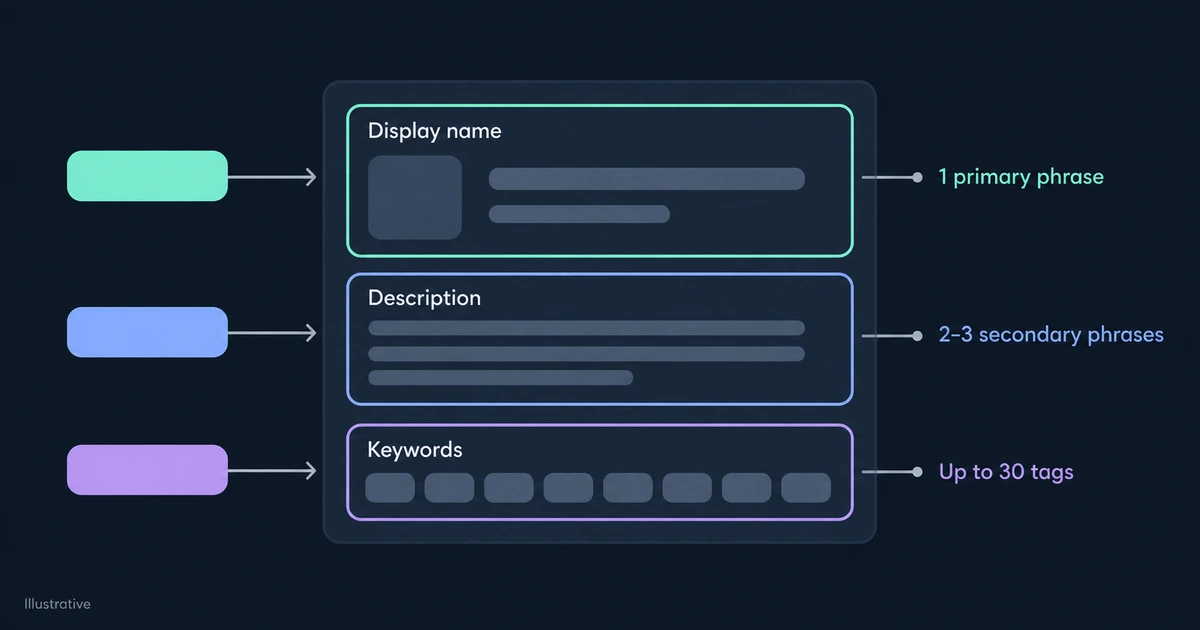
- Display name. One primary phrase, readable as a product name. It must stay unique on the Marketplace, and every later rename resets what people recognise. Put a phrase here only if it's contested and central to the job. After our own rename, one tracked query moved from #32 to #2; that timing does not isolate the effect of the name edit.
- Description. Two or three secondary phrases in a plain sentence that says what the extension does. Microsoft names it as a text-search field, and on Open VSX it's the field most often present near the top.
- Keywords (tags). Up to 30. Use them for synonyms, integrations, file types and abbreviations, and for uncontested phrases where a tag alone may be enough. They also serve the
tag:filter. Repeating a word doesn't make it more relevant.
The keyword worksheet#
Copy this into a sheet, one row per candidate phrase, per registry:
| Step | Question | Where to read it | Keep the phrase if |
|---|---|---|---|
| 1. Relevant | Would a searcher who finds you be satisfied? | Your own use cases | Yes, without qualification |
| 2. Contested | How many listings carry every word in the display name, and how many top-10 names do? | Keyword coverage count, today's top 10 | You can match the field, or it's open (10 or fewer named listings) |
| 3. Near | Where do you rank now, and does your name carry the words? | Median position with sample range | You're at #11–50, or unranked on an open phrase |
| 4. Overlap | Do direct competitors rank for it? | Pinned competitors, same date and registry | Two or more comparable extensions appear |
| 5. Placement | Name, description or tag? | Steps 2–3 | You've recorded the placement and the date of the edit |
Change one field at a time and keep the before-and-after positions with the date. A position that holds across several crawls tells you more than one good day.
The live demo runs this worksheet on Kilo Code: its keyword positions on both registries, named-listing counts for each phrase, and the competitors that share them.