Why the Open VSX download count looks inflated
Open VSX download count measures package downloads, not unique people. Learn what it can show, what it cannot, and how to compare registry trends.

Builds VSXRank · 4 min read

An Open VSX number can look surprisingly large beside a Marketplace install count. That does not make either registry wrong: they expose different counters. Open VSX calls its public field downloadCount and publishes package URLs and version metadata with it; it is a download total, not a count of people or active copies. Treat it as registry-specific package-delivery activity, then compare like with like over the same period.
What the Open VSX download count measures#
Open VSX’s extension API exposes downloadCount for a listing, plus its current version, timestamp, and URLs for downloadable VSIX files. You can inspect a live example in the Open VSX response for Red Hat Java. In the registry’s open-source server, the download handler increments the extension’s downloadCount by one for a download resource; that resource is tied to an extension version in the counter update path.
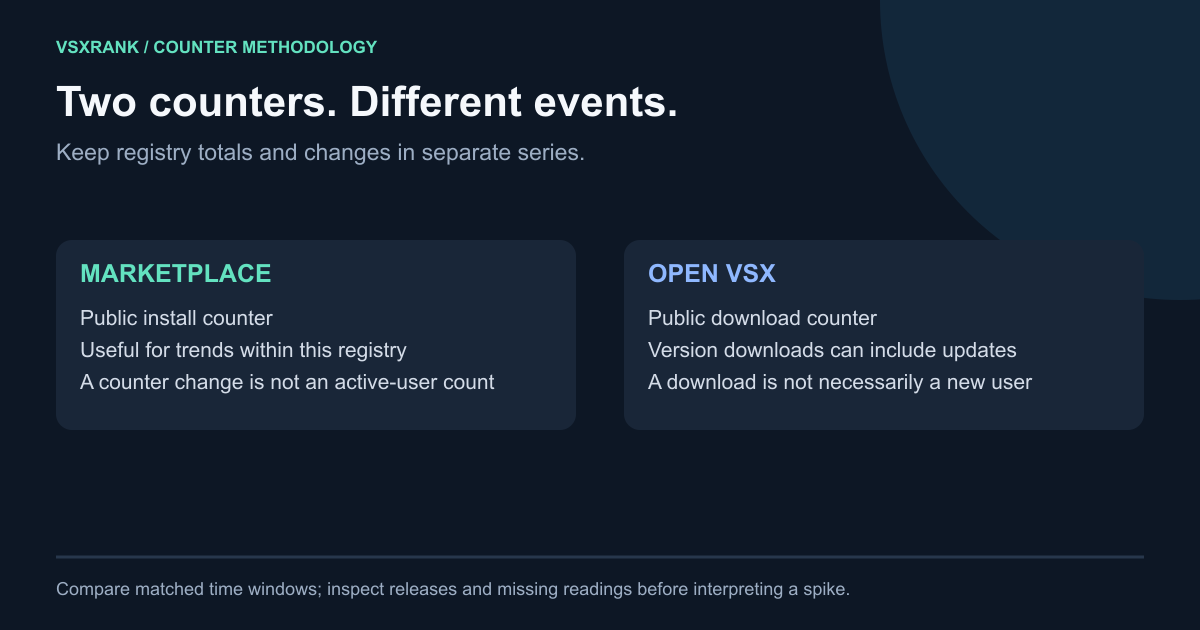
That is a useful definition, but a narrow one: downloading a package is an event. It does not identify a person, a device, or whether that package is still installed. A later version fetch is another download event, so an extension’s total can rise through both first-time package retrieval and subsequent version retrieval.
| Counter | What the public label describes | What it cannot establish on its own |
|---|---|---|
Open VSX downloadCount | Total extension-package downloads served by Open VSX | Unique users, active copies, or new users |
Marketplace install | The Marketplace install statistic | Active copies or a directly comparable Open VSX audience total |
The Marketplace publishes its own install statistic. Keep that label with the Marketplace number rather than substituting it for an Open VSX download total. The Marketplace listing for the same Red Hat Java extension is a quick way to see that the registries publish their own numbers.
Why a direct comparison can mislead#
A package-delivery total accumulates events over an extension’s history. Version cadence, editor behaviour, package platforms, mirrors, and the registry’s own delivery path can all affect how many download events appear. None of those factors is a reliable proxy for the number of people who use the extension.
That means a large Open VSX total is not evidence that its audience is larger than the Marketplace audience. A smaller total is not evidence of the reverse. The two registries are separate services, and their counters have different definitions and collection paths. Do not add the two totals together or sort extensions from both registries in one raw-counter leaderboard.
VSXRank keeps the distinction in its data model: Open VSX values appear as Downloads, while Marketplace values appear as Installs. The September catalog report also keeps the registries separate.
A practical way to read the number#
Use the counter as a trend within Open VSX, with a recorded start and end time. The question you can answer is: “How many more Open VSX download events did this listing record during this window?” It is not: “How many new users did this release gain?”
- Record the current
downloadCount, current version, and timestamp before a release. - Record the same three fields after a consistent interval. Use the same time window for every extension you compare.
- Calculate the difference in the counter, and annotate any version change that occurred in the interval.
- Compare that difference only with other Open VSX differences measured over the same window. Keep Marketplace installs in a separate column and describe them with their own label.
For a release check, a higher post-release Open VSX delta tells you that more package-download events were recorded in that interval. It does not reveal how many were first installs, updates, retries, or active users. Pair it with release notes, support signals, and any first-party telemetry you have permission to collect.
How VSXRank presents it#
VSXRank samples Open VSX downloadCount as a download series and labels it accordingly. Its intraday view preserves the actual time between samples, so a missed reading is shown as a longer interval rather than manufactured as a burst. It also retains the observed version, making a version transition visible beside the counter movement.
Open the Red Hat Java example to view the two registries independently, then try the live demo with the same definitions in place. Read an Open VSX change as a delivery signal for that registry, and use Marketplace installs only for Marketplace install movement. Keeping those definitions intact makes the dashboard more useful than a single impressive-looking total.